Dropbox
To Create an App in Dropbox developer Account
Click on
Create appstab to create a new app.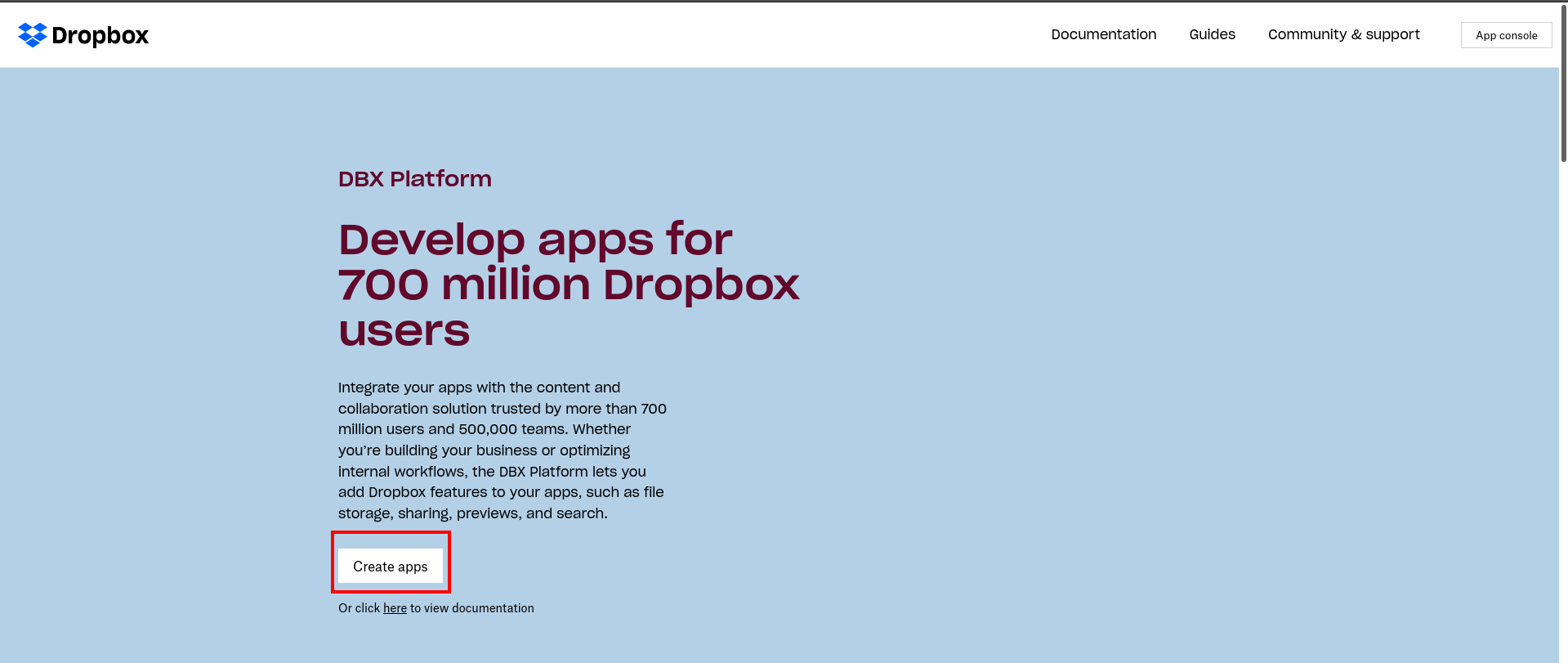
Under Choose an API section, select Scoped Access.
Under Choose the type of access you need, select Full Dropbox.
Enter a name for your custom app.
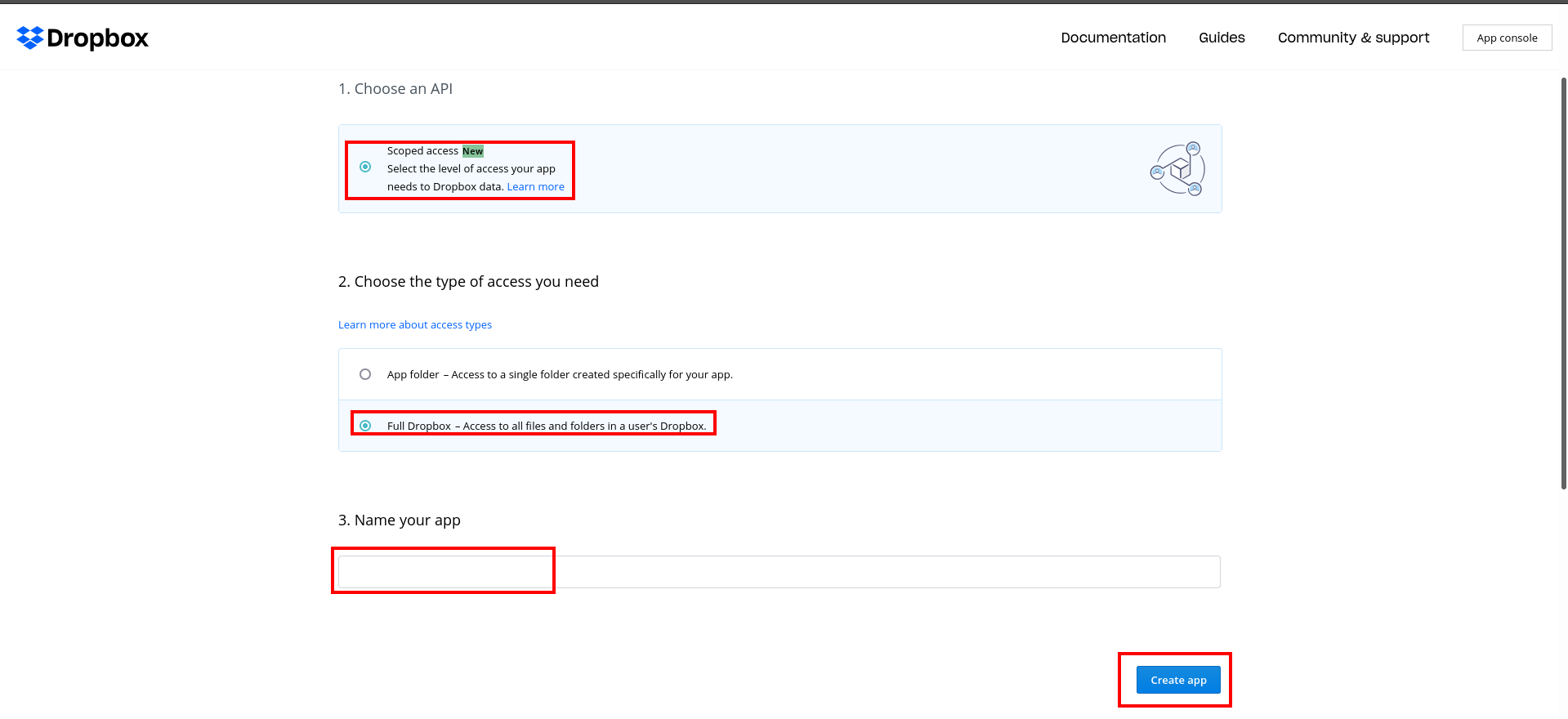
If you have a personal and a business account which are linked, you will be asked to select which account you want to own the app. Once you make a selection, you will be asked to sign in to that account.
Click the
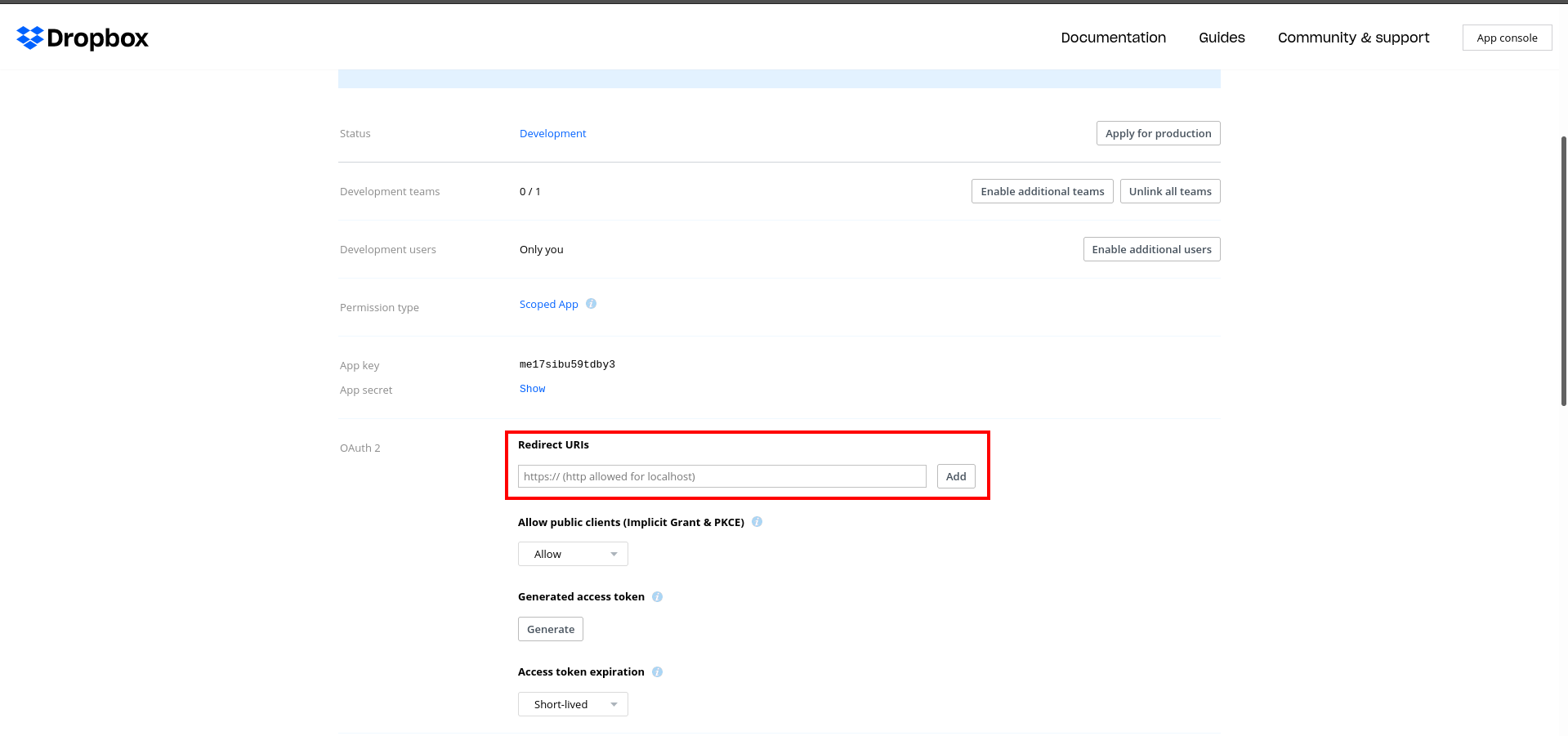
Create appbutton Add the OAuth Redirect URI provided in the add-on settings page to your Dropbox app settings under the OAuth2 Redirect URIs section.
Go to the permissions tab and select the files.content.write and files.content.read permissions in order to read your Dropbox user directories and to write files to them upon form submission.
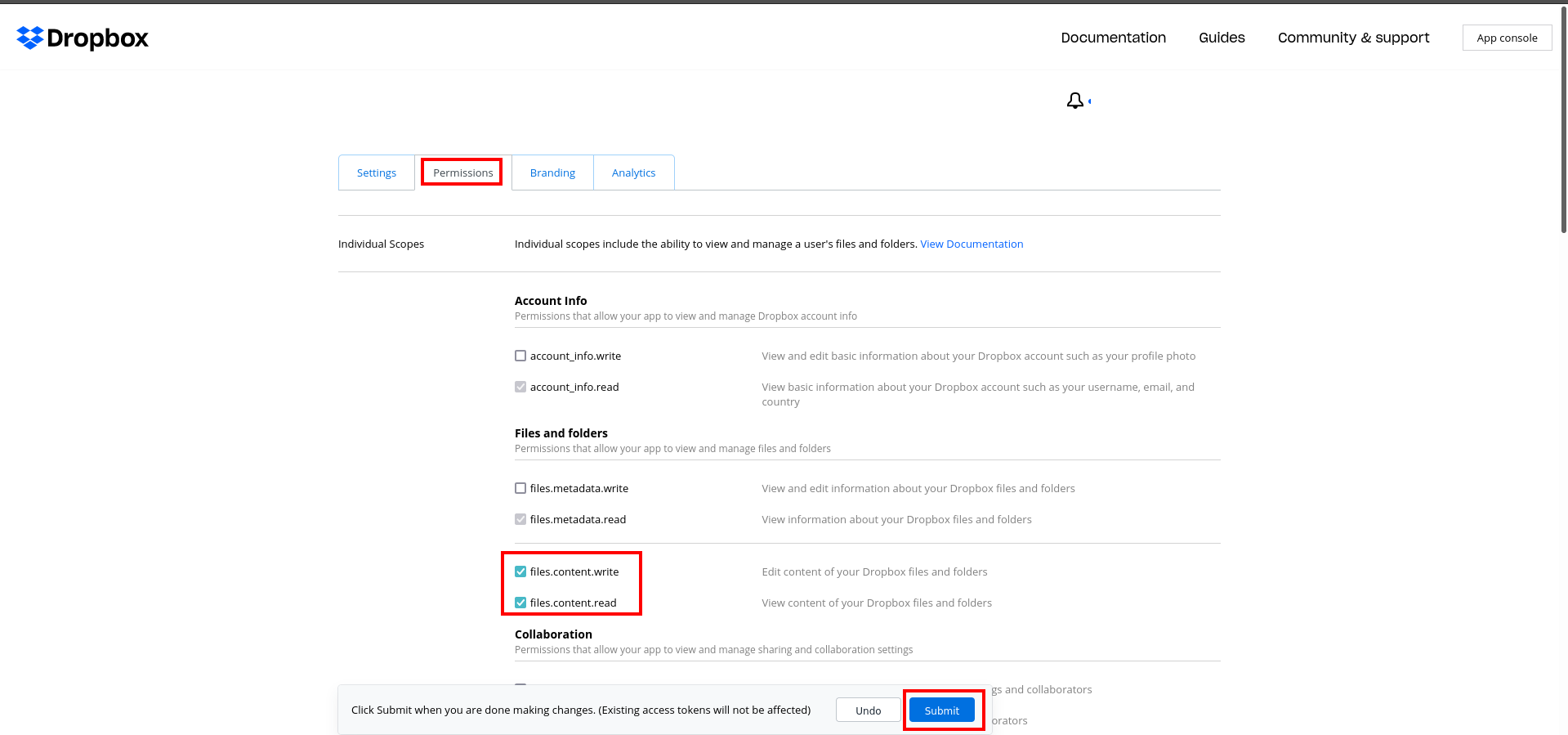
Click the
Submit buttonat the bottom of the page to end the process.
Setting up your Dropbox storage on CloudTDMS
Open the storages tab and insert the following values for your new Dropbox storage
Name:Name for the storage.Token:Dropbox account security token.